Email Design System
A modular email template library built to standardize pharma email production, reduce build time, and give every brand a consistent, dev-ready foundation.
Type:
Design System, UX, Production
Role:
Production, Builder
Team:
Jon Loudon, Antek Krystecki
Tools:
Figma
PROBLEM
Every Team Was Building Emails Differently.
Across the organization, teams were building emails independently, each with different levels of experience and different interpretations of what a production-ready email file should look like. There was no shared standard. Some designers would spend a full day on a layout that still had to be rebuilt from scratch the next day to meet production specs. The work was being done twice, by different people, with no consistency in the output. Creative teams needed time to concept; clients needed emails fast and at low cost. Both were reasonable expectations, but without a structure to separate the two, they kept colliding.
SOLUTION
A Central Studio. One Standard. Every Email.
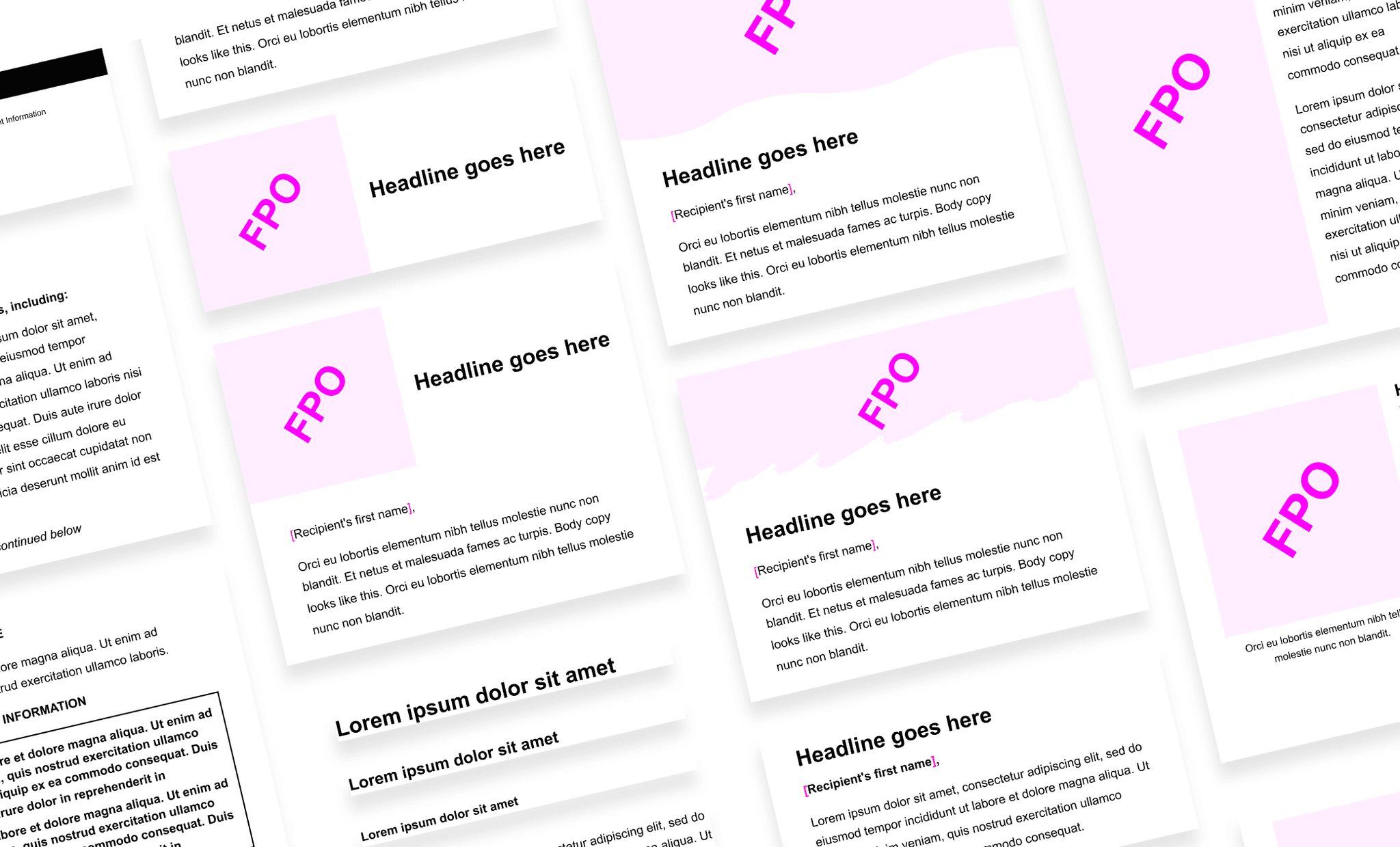
The Digital Studio was set up as a central point for all email work across the organization. Every project would flow through one team with consistent tools, practices, and production knowledge. The starting point was an audit. Every email the studio had produced was pulled apart and mapped to its core structural elements. A small set of patterns kept showing up across all of them, and those patterns became the basis for a defined category system that both design and development could use as a shared language.
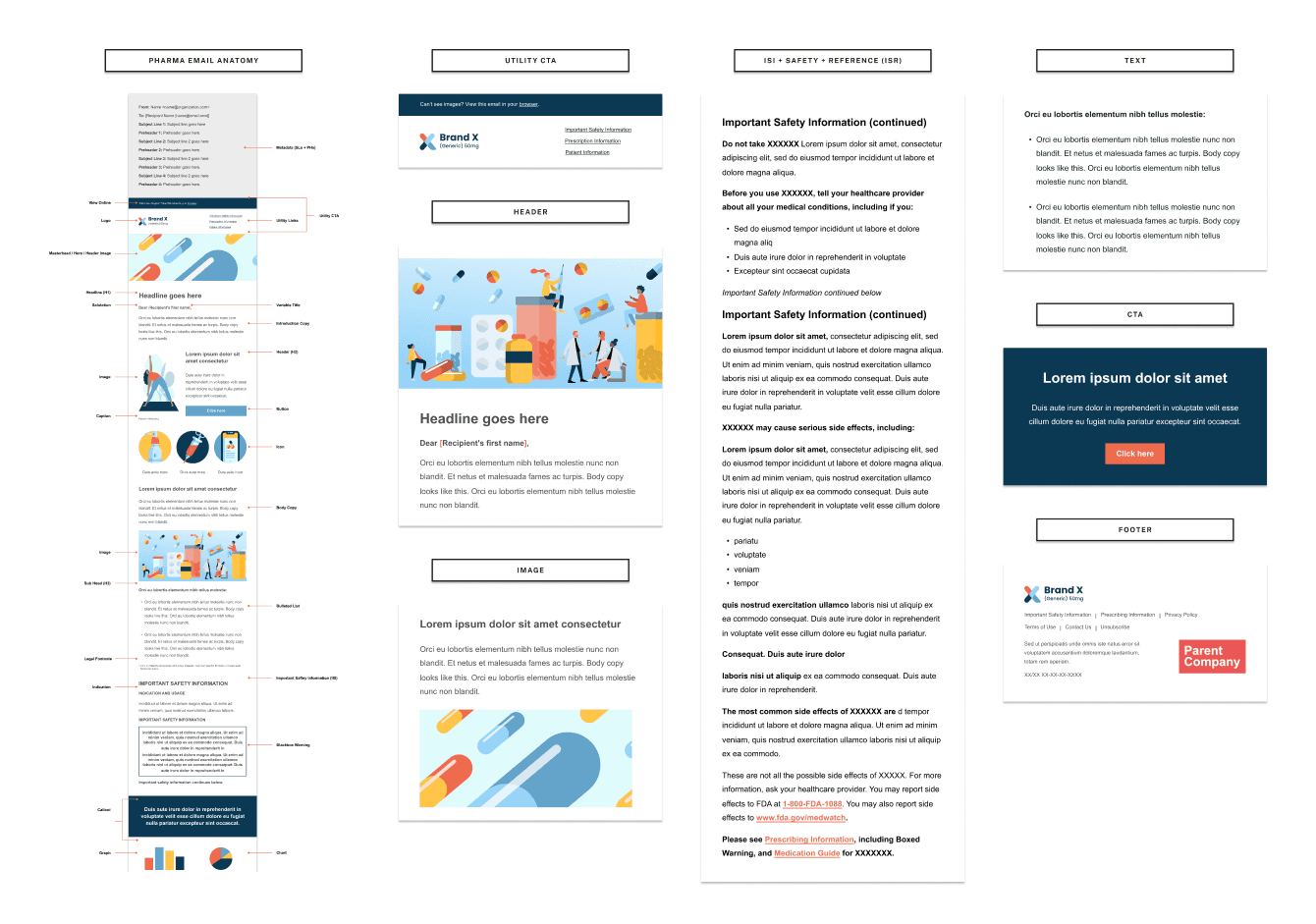
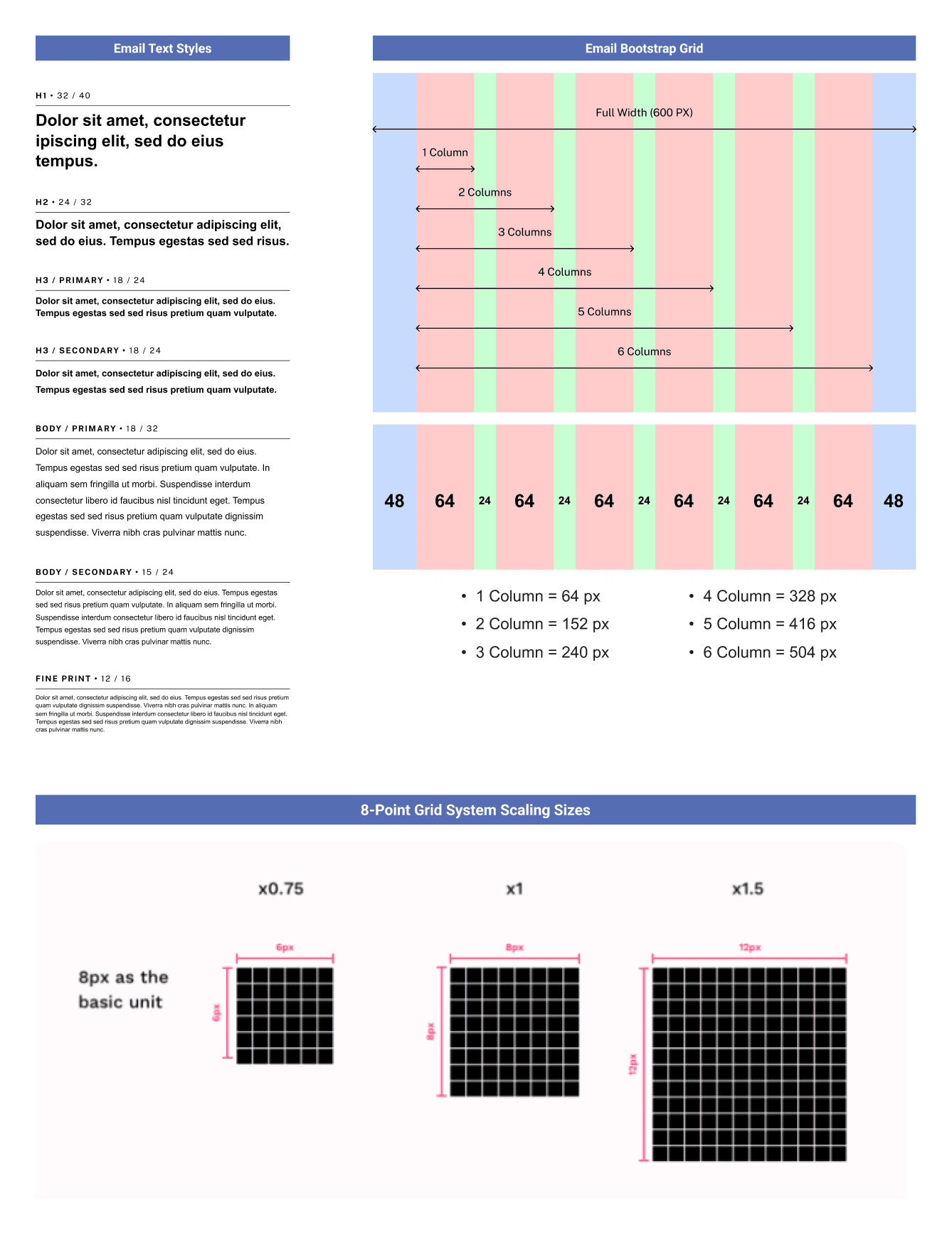
With the categories defined, the studio worked with the development team to lock in a shared set of benchmark settings: type hierarchy, grid, and scaling conventions agreed on by both sides. These became the structural foundation every email was built on, and they ensured files would render correctly across devices without needing fixes after handoff. From there, a catalog of brand-agnostic modules was built to those specs, each designed to be customized at the brand level without altering the underlying structure.
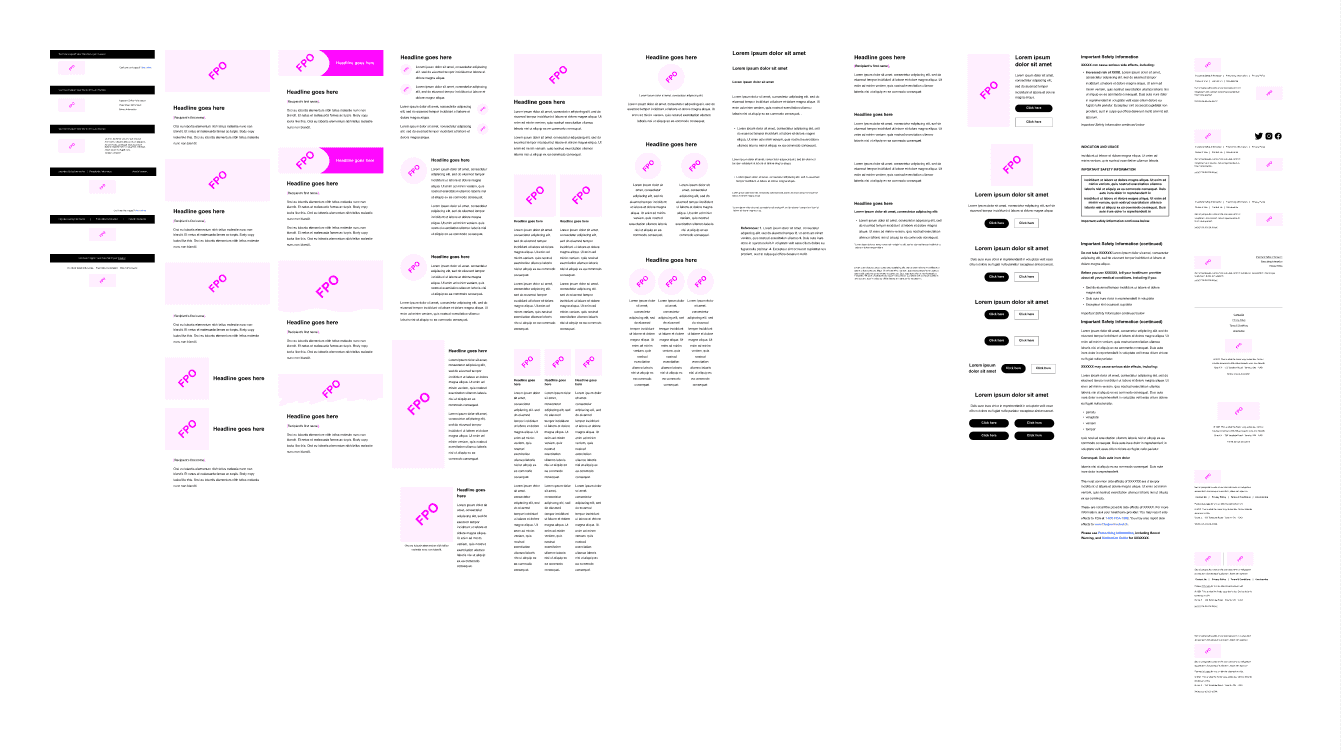
The module catalog gave teams a way to assemble layouts from components rather than build from scratch. It also changed how creative teams were spending their time. Production work was no longer pulling them away from concepting. The studio handled execution; creative could focus on the projects that actually needed them.
RESULTS
A Two-Day Build Became a One-Hour Build.
Before the studio, a designer would spend a full day on a layout, and then it would need to be rebuilt the next day to proper production spec. Two days of work, done twice. With the system in place and materials aligned upfront, the same email could be built in under an hour. When copy and strategy came in ready and the team was working from established templates, it was faster still. There was nothing to figure out mid-build. The job was just execution.
The system was built in close collaboration with development from the start. Type styles, color tokens, component naming, and spacing were agreed on and kept in sync between Figma and the codebase. The creative file was not an approximation of the final product; it was the final product. Clients and stakeholders could review work knowing exactly what they were signing off on, and revision cycles caused by the design-to-dev gap largely disappeared.
The foundational system also became the starting point for brand-specific libraries. Working with creative teams, the studio would take the core components and build out tailored libraries on top — colors, typography, and imagery scoped to each brand, while the production structure underneath stayed consistent. Teams got a library that matched how they actually worked, builds got faster, output got more cohesive, and the back-and-forth between creative and production shortened.
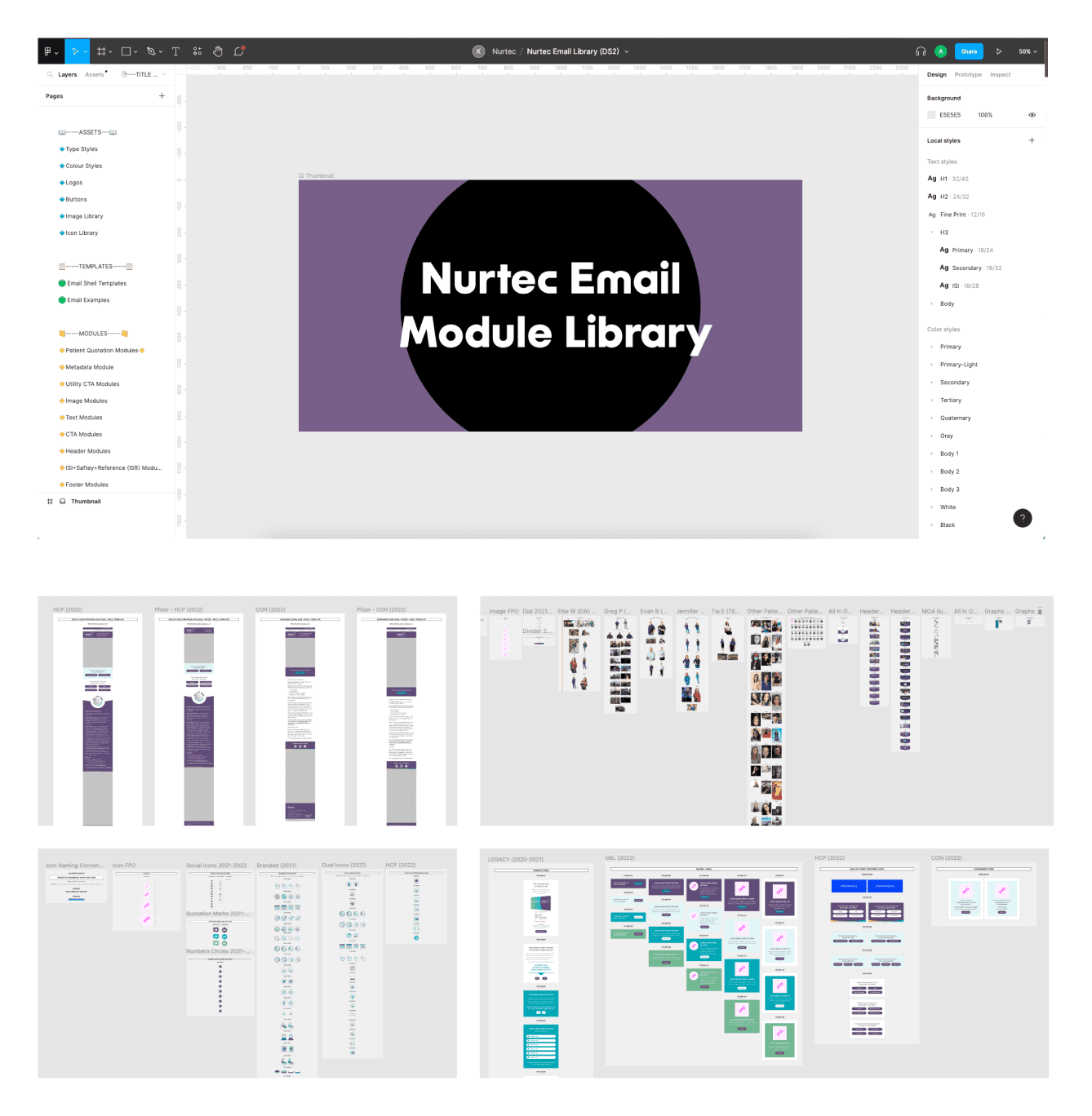
EXAMPLE: NURTEC BRAND LIBRARY
Brand-specific module library built on top of the foundational system. Components, type styles, and color tokens scoped to Nurtec, ready for immediate production use.
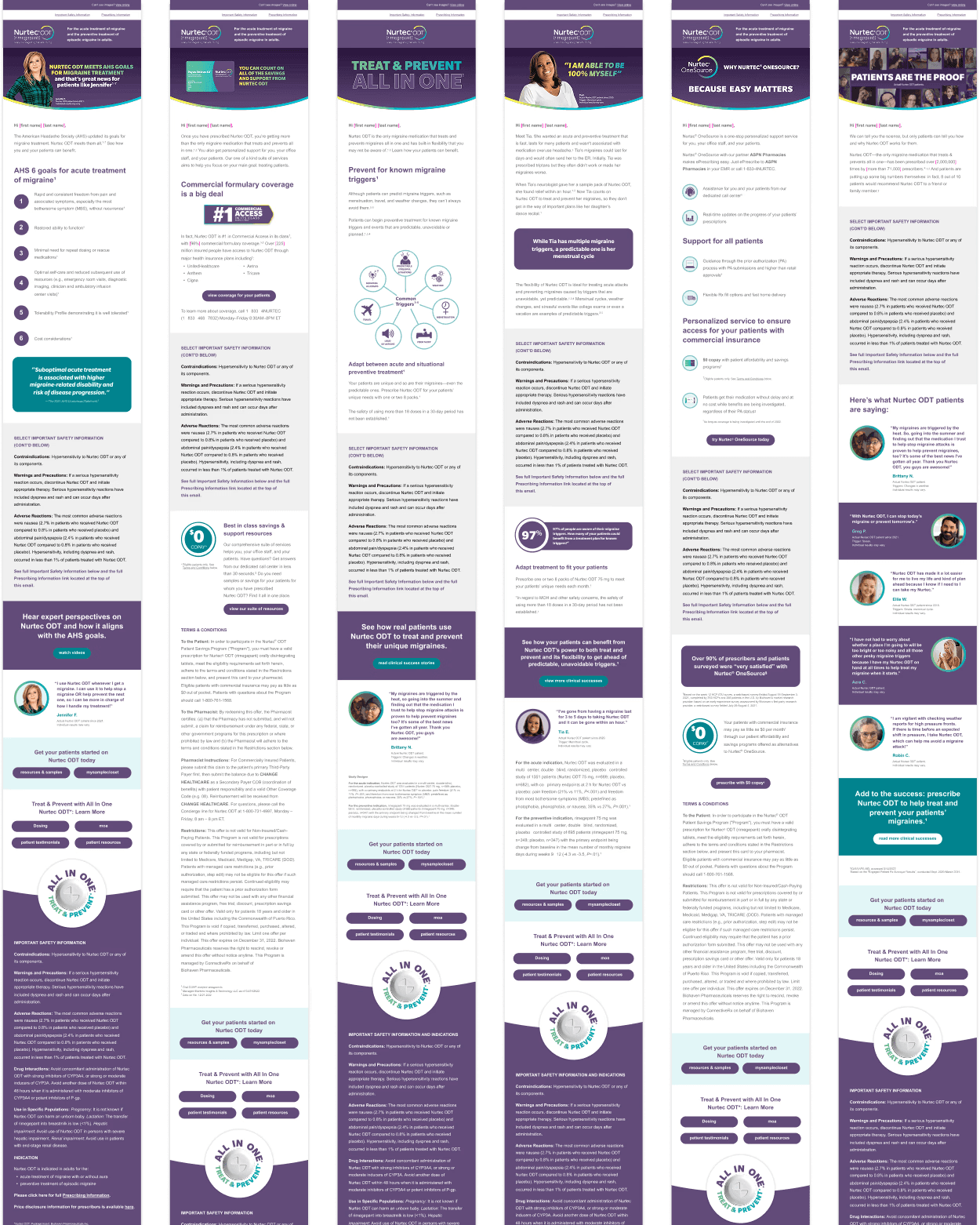
EXAMPLE: EMAIL PRODUCTION OUTPUT
Production-ready email built from the module catalog. Layout assembled from standardized components, mirroring the development build exactly.
WHAT I LEARNED
Better Systems Let Better Designers Do Better Work.
Production design and creative design are genuinely different skill sets. A strong creative designer is thinking about ideas, narrative, visual impact, and what will actually move someone. A strong production designer is thinking about consistency, technical correctness, speed, and what will hold up across every device and client. Both are hard to do well. The problem at Klick was that the same person was expected to do both, often in the same project, on the same deadline. The studio changed that. Once production had its own dedicated team and its own system, creative designers could go deeper on the work they were actually best at. The quality of the concepting went up. The briefs got sharper. The work improved not because the constraints loosened, but because the people doing creative work finally had enough room to think.
The system only worked well when the inputs were right. The hour-long build was possible when copy and strategy came in aligned and the materials were ready. When they did not, the build still went faster than before, but you were patching gaps that should have been sorted upstream. Looking back, the intake process was as important as the modules themselves. Getting alignment on copy, assets, and creative direction before a file was ever opened saved more time than any template.