SQAT
A QA script that checks every production asset against delivery specs automatically, so the team can spend review time on the work that actually needs a person.
Type:
Production Design / AI Tooling
Role:
Designer and Builder
Team:
Antek Krystecki, Steven Chi
Tools:
Figma, Claude, Apple Script

CONTEXT
Ads Getting Rejected at Deployment for a Problem That Should Not Have Existed
Marketing and channel leads were flagging that ads were being automatically rejected on deployment. The production team dug into it and found file size discrepancies, which should have been impossible. Every asset was built from locked templates inside a design system. Sizes were not something anyone was manually setting. They were inherited, fixed, and considered solved.
Because the templates were trusted, spec checks had been quietly dropped from the QA process. There was no reason to verify what was assumed to always be correct. That assumption turned out to be wrong, and by the time it surfaced, it was surfacing at deployment.
PROBLEM
One Pixel Was Breaking Assets at Deployment
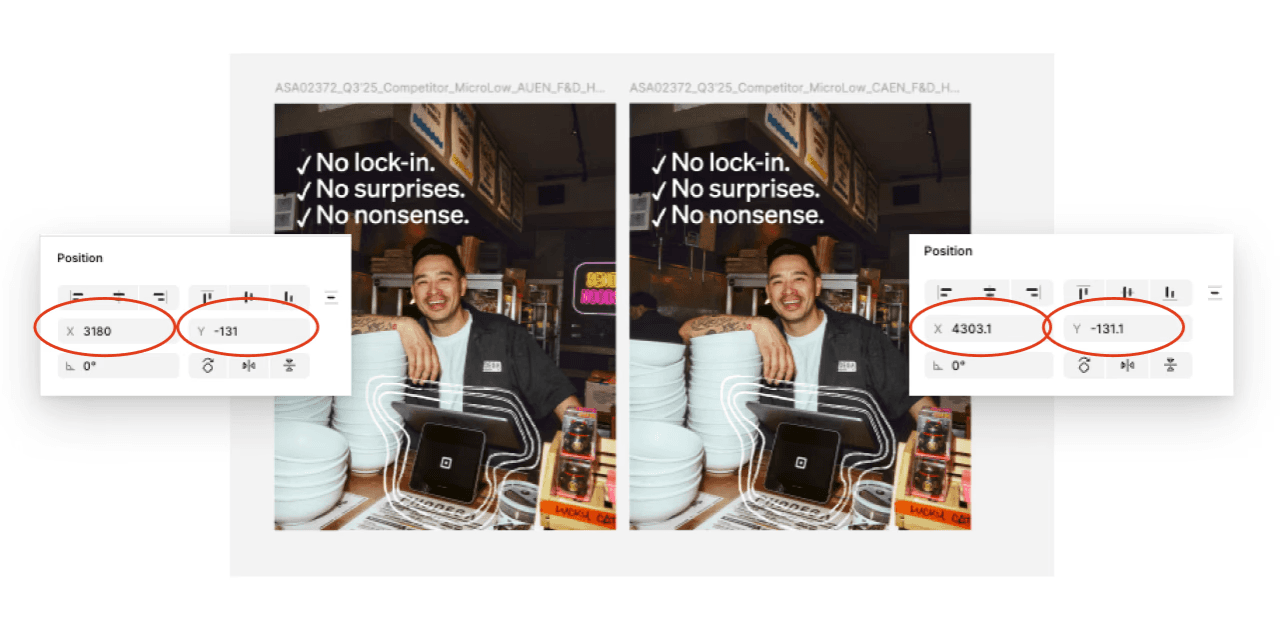
The team started noticing dimension mismatches between assets that looked identical. After investigation the cause was a Figma rounding error: any asset sitting at a decimal position on the canvas would gain a single pixel during export. Files were flagged immediately on deployment for being the wrong size. Invisible to the eye, impossible to catch manually, and consistent enough to cause repeated delays.
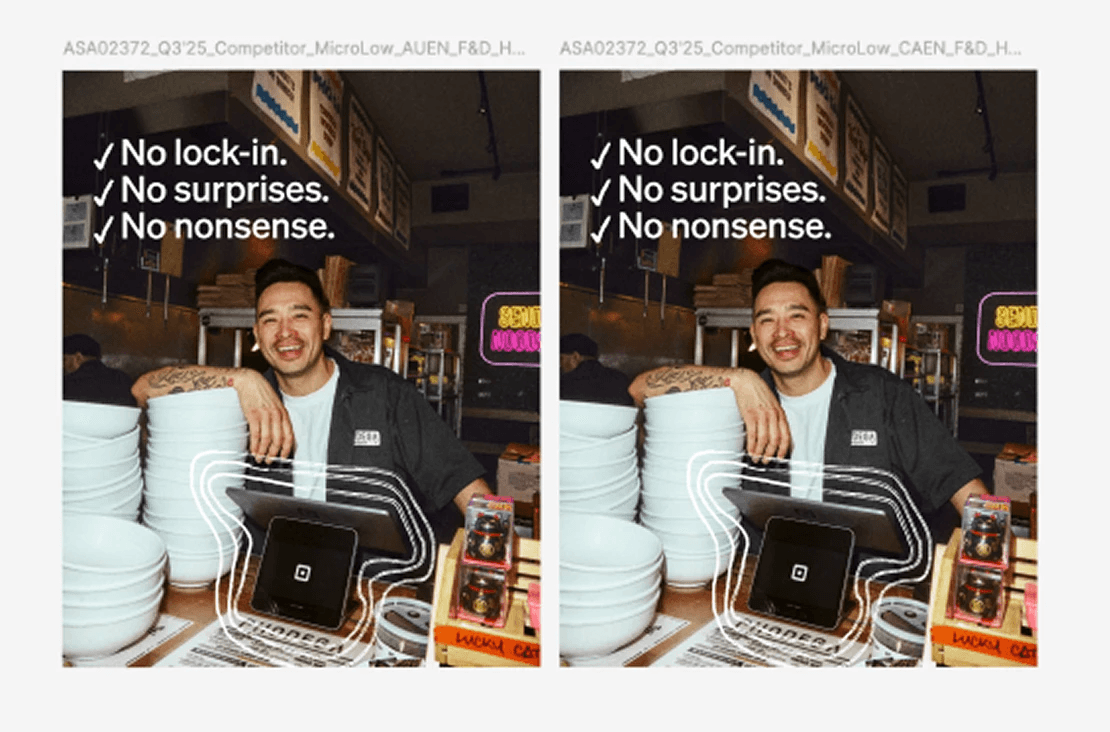
The pixel fix was straightforward. What it surfaced was bigger: the team had no reliable way to verify assets before delivery. Dimension errors were one category. Naming conventions, file formats, and size mismatches were others. All of them required someone to check manually. None of them required design judgment to catch.
RESEARCH
Mapping Every Check the Team Was Doing by Hand
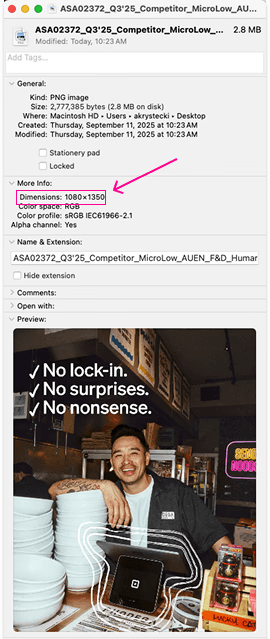
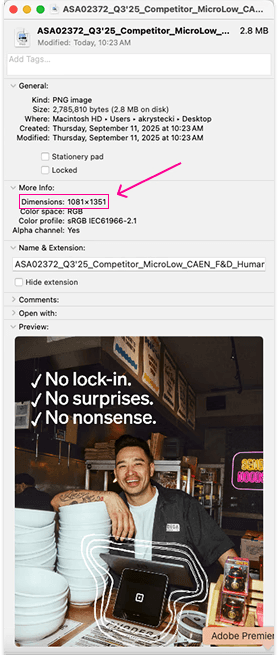
Before building anything, we mapped every check that happened during a manual QA pass: file dimensions against spec, naming convention patterns, format requirements, file size thresholds. Each one had a clear pass or fail. No judgment required. That list became the spec for SQAT.
KEY INSIGHT
Every check with a clear pass or fail is a candidate for automation. The checks that need a human are the ones where the answer depends on context, taste, or intent. SQAT was built around that line.
SOLUTION
A Script That Checks the Specs So the Team Does Not Have To
The pixel issue was the specific thing that broke, but fixing it raised a broader question: if one technical spec could silently fail on assets built from locked templates, what else could? Rather than patch one problem and move on, the team used it as a starting point to map every basic spec that could fail without anyone noticing. Dimensions, naming conventions, file formats, size thresholds. Each one had a clear pass or fail. That list became the spec for SQAT.
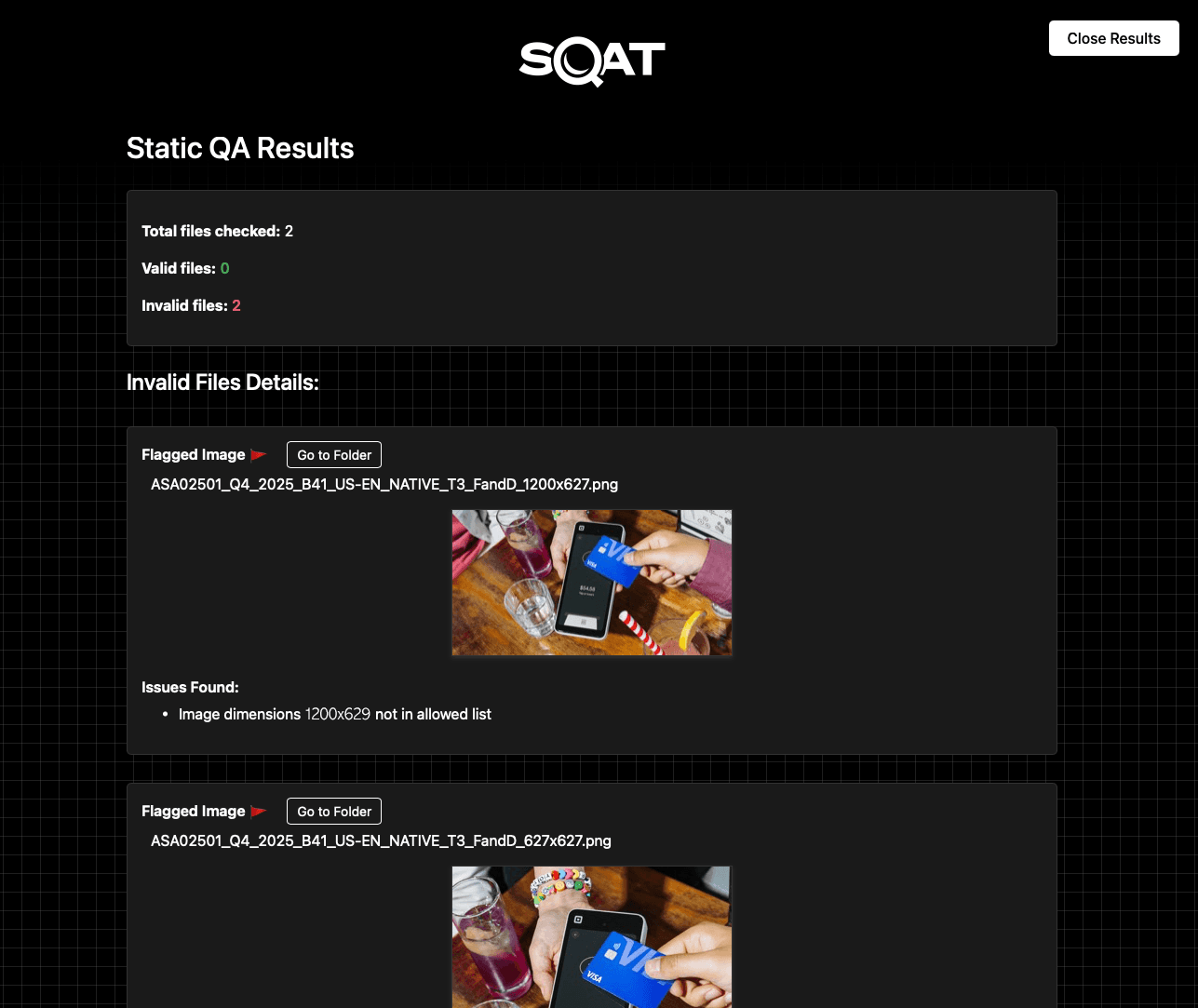
The script detects the folder contents, runs every file against the full criteria set, and outputs a flagged list of anything that does not pass. The team reviews the flags, fixes them, and runs again. What used to take a person 1 -2 hours per batch now takes seconds.
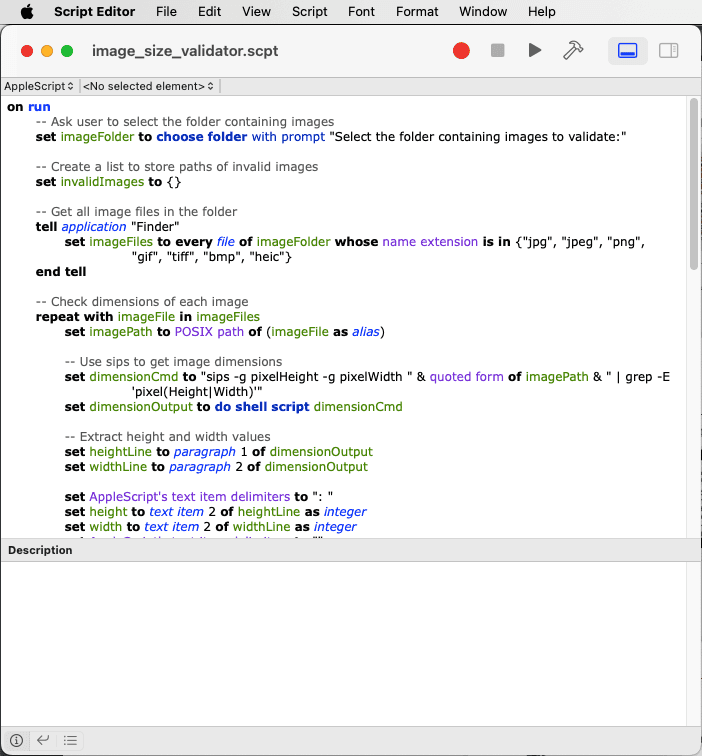
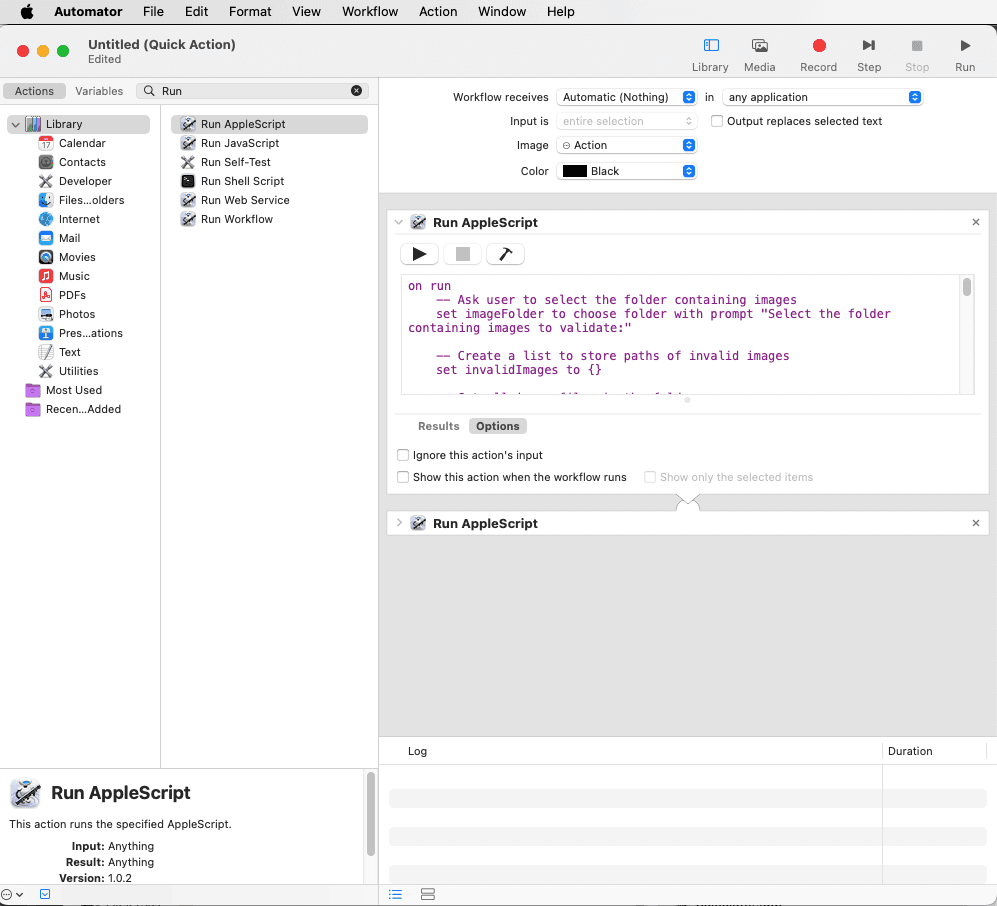
The goal was not to automate the full review. Composition, imagery, and copy still need human judgment. The goal was to remove the part that does not: the technical checklist every file has to pass regardless of what is in it. SQAT runs that check and outputs a flagged list, so review time goes to the things that actually need eyes on them.
RESULTS
Technical Errors Caught Before They Reached Review
0
Spec errors at deployment
Dimension mismatches, naming violations, and format errors caught before files leave the team.
<30s
Per spec check
Every file checked against dimensions, naming, format, and size. No manual review needed for technical specs.
1-2 hrs
Recovered per batch
Time previously spent on manual spec checking and revision rounds, now handled by the script before review begins.
SQAT caught the errors before they reached review. The spec check that used to happen manually, inconsistently, and at the end of the process now runs before anything goes out. Delivery confidence went up. Review time went down. The time that remained was spent on actual creative judgment.
WHAT I LEARNED
Automate the Rules. Keep the Judgment.
The things worth automating are the ones with exact, known criteria. File dimensions either match the spec or they don't. Naming conventions either follow the pattern or they don't. SQAT worked because the rules were already written down. The tool just checked them every time, on every file, without missing one.
The things worth keeping human are the ones that require judgment. A script cannot tell you if an image feels off, if the copy reads awkwardly, or if the layout doesn't work. Knowing that line clearly is what made SQAT useful rather than just technically functional. It did not try to do more than it should.