Animated Display Ads
A Figma-native production system for delivering HTML5-ready animated display ads at batch scale, with no development support required.
Type:
Production Design
Role:
Lead Designer and Builder
Team:
Antek Krystecki, Steven Chi
Tools:
Figma



PROBLEM
High Volume. Hard Deadlines. No Dev Pipeline.
Square's Marketing Demand Generation team ran on a fixed weekly batch cycle. Every week, 10 to 15 animated display banners needed to go from brief to HTML5-ready files, spec'd for programmatic deployment across multiple ad networks and screen sizes. The production team was two people. There was no development support in the pipeline.
Every banner had to be individually animated, sized, and exported to spec. The manual workflow worked at low volume, but as campaign demand grew the process became a bottleneck. More briefs meant more time in production, and there was no headcount available to absorb the increase. What the team needed was a system, not more hours.
01
10 to 15 animated banners per weekly batch
Fixed weekly cadence with no flex in the schedule. Late delivery was not an option.
02
HTML5-ready output required, no dev support available
Files had to be deployment-ready for programmatic ad networks. No handoff to engineering.
03
A two-person team at full capacity
Every new campaign request added to a queue that was already running at the edge of capacity.
SOLUTION
A Mechanical Figma System Built for Batch Production
The system is built around three component layers — Base, Format, and Build — each handling a distinct responsibility. Together they eliminate every manual step between receiving a brief and delivering a production-ready file.
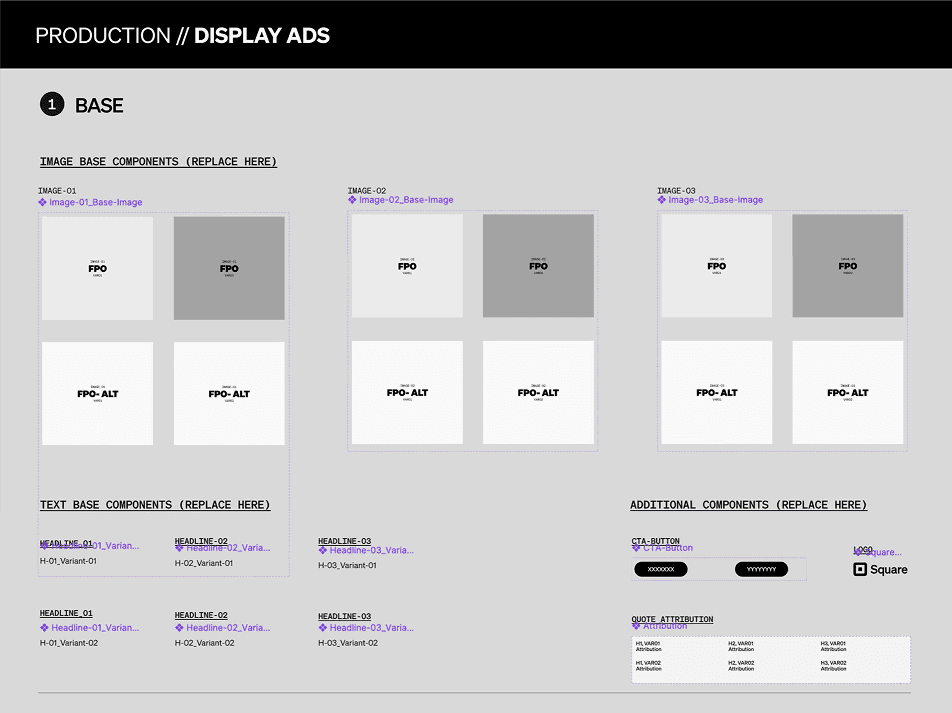
01 — BASE COMPONENT
Global Content Control
The Base Component framework is the foundation of the system. A centralized master section controls all core content, including images, copy, CTAs, and attribution. Any edit made here propagates globally across every banner in the template. One change, every size updated instantly. This single decision cut the manual copy-paste cycle that had been the biggest time sink in production.
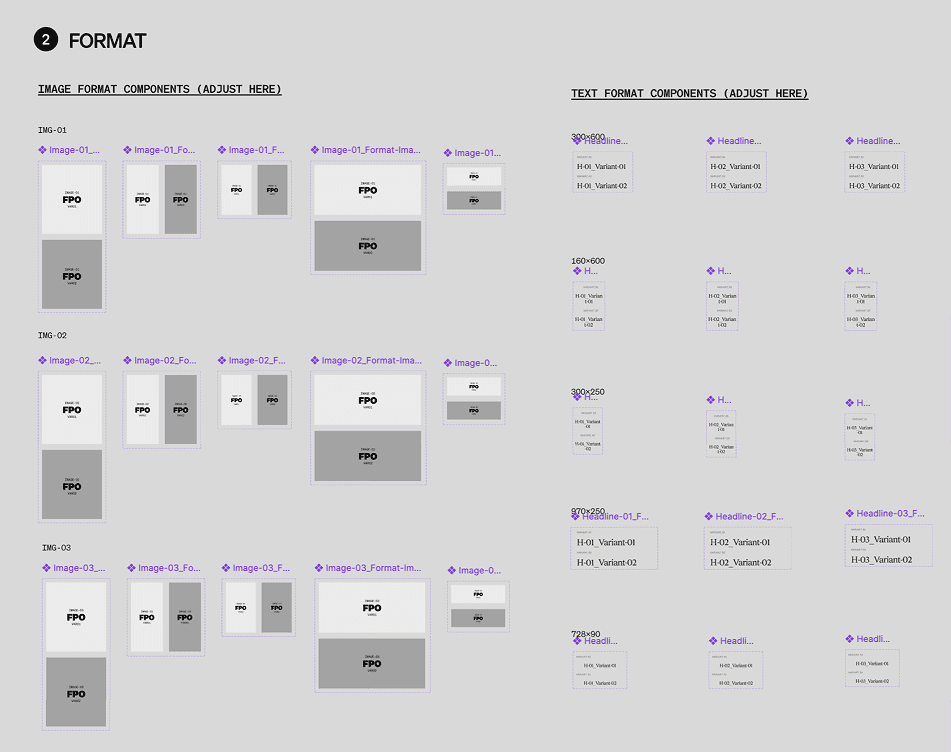
02 — FORMAT COMPONENT
Size-Specific Styling Without Touching Base Content
The Format Component layer extends the base system with size-specific styling controls. Image Base components connect to prefabricated frames with preset dimensions tied to final banner specs. Text Base components use banner-specific type styles to keep typography consistent across every size without manual adjustment. Each format layer handles layout differences between ad sizes without requiring the base content to be touched.
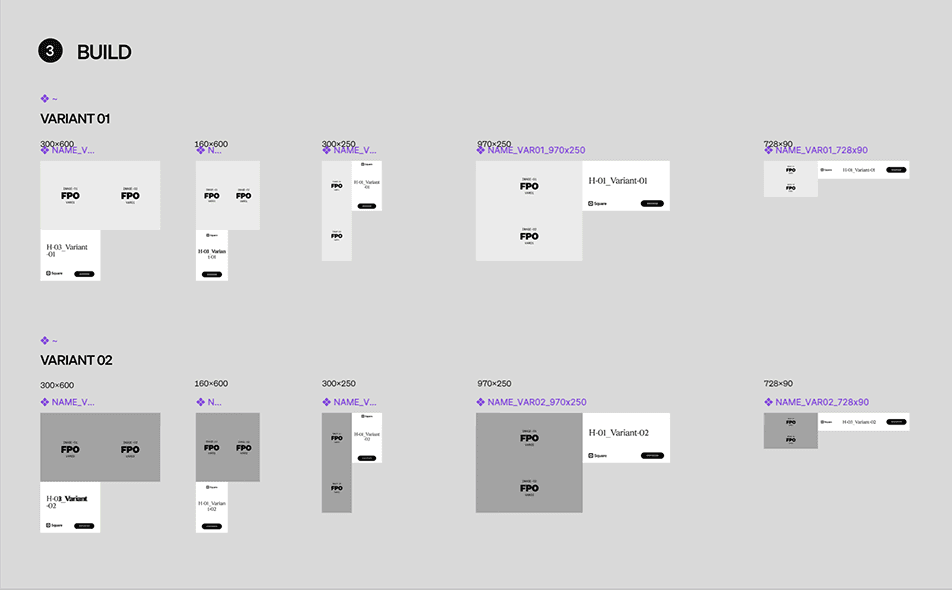
03 — BUILD COMPONENT
Final Assembly and Export
The Build Component is the final assembly point where all base and format layers converge into a finished ad. Text, images, logos, and attribution are pulled in and composed into the full-size layout. Each banner supports dual variants to cover A/B testing scenarios and brief-specific requirements. Once assembled, the build components are placed onto a dedicated export page and opened directly in Bannerify.
From Figma to HTML5 in One Export Run
Once the Build Components are placed on the export page, Bannerify takes over. The plugin reads every frame, picks up the animations built directly into the Figma layers, and exports the full set of banner sizes as web-ready HTML5 files in a single pass. No development environment. No manual export loop. No handoff to engineering. A batch of 10 to 15 banners across multiple sizes goes from Figma to deployment-ready in under a minute.
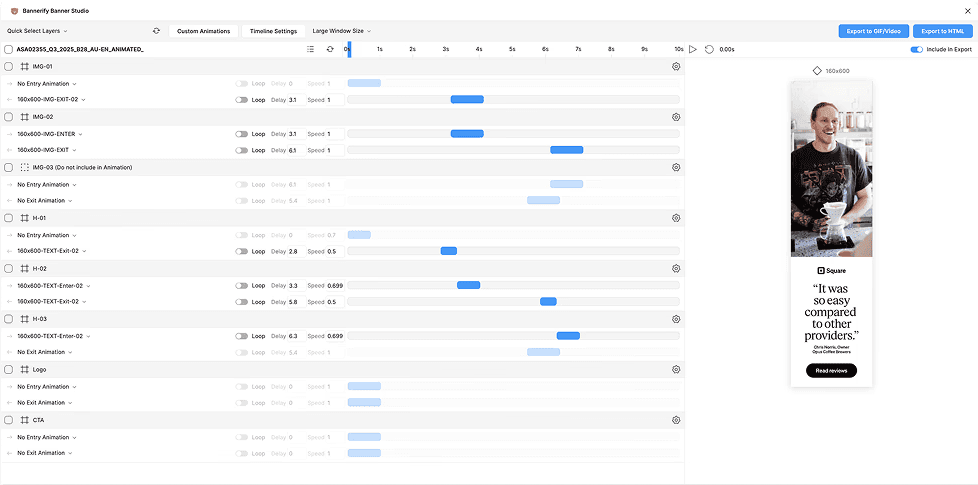
For campaigns requiring more complex motion, Bannerify supports custom MP4 video uploads directly into the animation timeline. This extended the system's capabilities beyond what the standard animation toolset could achieve, allowing bespoke motion sequences to be embedded into display ads without any external tooling or development work.
RESULTS
700+ Assets. Two People. No Dev Team.
The Figma mechanical template system transformed a production workflow that was running at the edge of capacity into one that could absorb volume without adding time or headcount. Batches that previously required painstaking manual assembly across every size and variant were reduced to a repeatable, predictable process. The system ran continuously for two years as the team's primary display ad production engine.
700+
Total Assets Delivered
Animated display ads produced across all campaigns, batches, and formats over two years of operation.
2
Person Team, Full Output
The entire production operation ran on two people. The system made that possible at this scale.
0
Developers Required
HTML5-ready files went directly from Figma to deployment. No development handoff at any point in the workflow.
WHAT I LEARNED
A System Built for Its Time
The biggest takeaway from building this system was that the bottleneck in production was never the designers. It was the process. The Figma mechanical template did not make the team faster by making the designers work harder. It made them faster by removing every step that did not require a designer at all. That distinction matters. The solution was not optimization. It was elimination.
Working at volume for two years also made it obvious how much invisible overhead exists in any production workflow. Every handoff, every naming decision, every export step compounds. The system worked because it compressed all of that into a single repeatable action. That kind of thinking, finding the smallest number of decisions that produce the largest reduction in friction, is something I carry into every project now.
A NOTE ON WHERE THIS GOES NEXT
This system was formidable when it was built. It is also, honestly, nearly obsolete now. The mechanical template approach solved a real problem by removing manual steps from a repeatable process. But with the current pace of AI tooling in design, the entire architecture looks different. The future version of this does not live in a Figma plugin with an animation timeline. It lives in something closer to BLDR: a self-service interface where a marketer enters campaign variables, and AI handles composition, sizing, animation, and export automatically. The system I built was the right answer for 2023. The right answer for now is to stop building the tool and start building the model behind it.